pysdic.display_optical_flow#
- display_optical_flow(image, flow_x, flow_y, region=None, display_region=None, alpha=0.5, channel=0, norm_cmap='inferno', comp_cmap='bwr', norm_vmin=None, norm_vmax=None, comp_vmin=None, comp_vmax=None)[source]#
Display the optical flow overlaid on the given image using Matplotlib.
- Parameters:
image (ArrayLike) – The background image with shape \((H, W)\) or \((H, W, C)\).
flow_x (ArrayLike) – The x-component of the optical flow (horizontal displacement) in pixels with shape \((H, W)\).
flow_y (ArrayLike) – The y-component of the optical flow (vertical displacement) in pixels with shape \((H, W)\).
region (Optional[Tuple[Integral, Integral, Integral, Integral]], optional) – A tuple specifying the region of interest in the format (x, y, width, height). If None, the entire image is displayed. Default is None.
display_region (Optional[Tuple[Integral, Integral, Integral, Integral]], optional) – A tuple specifying the region of the flow to display in the format (x, y, width, height). If None, the entire flow is displayed. Default is None.
alpha (Real, optional) – The alpha blending value for overlaying the optical flow on the image. Default is 0.5.
channel (Integral, optional) – The channel of the image to display if it is multi-channel. Default is 0.
norm_cmap (
str, optional) – The colormap for the flow magnitude. Default is ‘inferno’.comp_cmap (
str, optional) – The colormap for the flow components. Default is ‘bwr’.norm_vmin (Optional[Real], optional) – Minimum value for flow magnitude colormap normalization. Default is None.
norm_vmax (Optional[Real], optional) – Maximum value for flow magnitude colormap normalization. Default is None.
comp_vmin (Optional[Real], optional) – Minimum value for flow component colormap normalization. Default is None.
comp_vmax (Optional[Real], optional) – Maximum value for flow component colormap normalization. Default is None.
- Returns:
Displays the optical flow overlay on the image.
- Return type:
None
- Raises:
TypeError – If the input image, flow components are not of type
numpy.ndarrayIf the specified channel is not an integer. If the region or flow_region coordinates and size are not integers.ValueError – If the input image and flow components do not have compatible shapes. If the specified channel is out of bounds. If the input image is not a 2D or 3D array or not unsigned integer type. If the region or flow_region is out of image bounds.
See also
compute_optical_flow()Compute the optical flow between two images using the DIS method of OpenCV.
Examples
Create two example images and compute the optical flow between them.
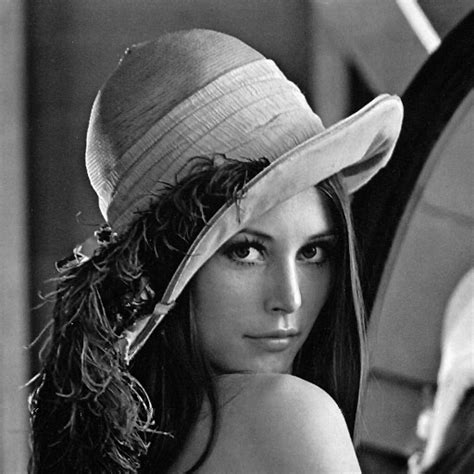
Lena texture image used for the example.#
 1import numpy
 2import cv2
 3from pysdic import compute_optical_flow, display_optical_flow
 4from pysdic import get_lena_texture
 5
 6# Create two example images
 7image1 = get_lena_texture() # numpy array of shape (474, 474)
 8
 9# cv2 distortion to create a second image
10image2 = cv2.undistort(image1, cameraMatrix=numpy.array([[300, 0, 237], [0, 300, 237], [0, 0, 1]]), distCoeffs=numpy.array([-0.2, 0.1, 0, 0]))
11
12# Compute optical flow
13flow_x, flow_y = compute_optical_flow(image1, image2)
14
15# Select a region of interest (optional)
16display_region = (10, 10, image1.shape[1]-20, image1.shape[0]-20) # (x, y, width, height)
17
18# Display the optical flow
19display_optical_flow(image1, flow_x, flow_y, display_region=display_region)