pysdic.compute_optical_flow#
- compute_optical_flow(image1, image2, *, channel=0, estimate_flow_x=None, estimate_flow_y=None, region=None, disflow_config=None)[source]#
Compute the optical flow between two images using the DIS method of
OpenCV.The optical flow is computed between two images using the Dense Inverse Search (DIS) algorithm implemented in OpenCV. The function allows selecting a specific channel from multi-channel images and the parameters of the DIS algorithm are given by a
pysdic.DisflowConfig.Lets consider two images \(I_1\) and \(I_2\) of shape \((H, W)\). The optical flow is represented as two 2D arrays \(F_x\) and \(F_y\), each of shape \((H, W)\), where \(F_x[i, j]\) and \(F_y[i, j]\) denote the horizontal and vertical displacements (in pixels) of the pixel located at \((i, j)\) in the first image to its corresponding position in the second image.
\[I_2(i + F_y[i, j], j + F_x[i, j]) \approx I_1(i, j)\]With image array indices \(i\) and \(j\) representing the row (vertical) and column (horizontal) indices, respectively.
Note
The method convert the images data to uint8 before processing, as required by OpenCV’s DIS optical flow implementation.
The method convert the estimated flow to float32, as required by OpenCV’s DIS optical flow implementation.
Warning
xandycomponents of the optical flow are defined in image coordinates and not in array indices. This means that the x-component corresponds to the horizontal displacement (columns) and the y-component corresponds to the vertical displacement (rows).The optical flow is compute with
numpy.uint8images, so the input images will be scaled to fit into the range ofnumpy.uint8if they are of a different unsigned integer type. The output flow will be in pixels and can be positive or negative depending on the direction of motion.- Parameters:
image1 (ArrayLike) – The first image with shape \((H, W)\) or \((H, W, C)\) where \(C\) is the number of channels. The image must be unsigned integer type.
image2 (ArrayLike) – The second image with shape \((H, W)\) or \((H, W, C)\) where \(C\) is the number of channels. The image must be unsigned integer type.
channel (Integral, optional) – The channel of the images to use for optical flow computation. Default is 0.
estimate_flow_x (Optional[ArrayLike], optional) – An initial estimate for the x-component of the optical flow with shape \((H, W)\). Default is None.
estimate_flow_y (Optional[ArrayLike], optional) – An initial estimate for the y-component of the optical flow with shape \((H, W)\). Default is None.
region (Optional[Tuple[Integral, Integral, Integral, Integral]], optional) – A tuple specifying the region of interest in the format (x, y, width, height). If None, the entire image is computed. Default is None.
disflow_config (Optional[DisflowConfig], optional) – Parameters of the DIS optical flow algorithm. If None, the default
pysdic.DisflowConfigis used. Default is None.
- Returns:
flow_x (
numpy.ndarray) – The x-component of the optical flow (horizontal displacement) in pixels with shape \((H, W)\). The pixels outside the specified region (if any) will be set tonumpy.nan.flow_y (
numpy.ndarray) – The y-component of the optical flow (vertical displacement) in pixels with shape \((H, W)\). The pixels outside the specified region (if any) will be set tonumpy.nan.
- Return type:
See also
pysdic.DisflowConfigParameters of the DIS optical flow algorithm.
pysdic.display_optical_flowDisplay the optical flow overlaid on the given image using Matplotlib.
Examples
Create two example images and compute the optical flow between them.
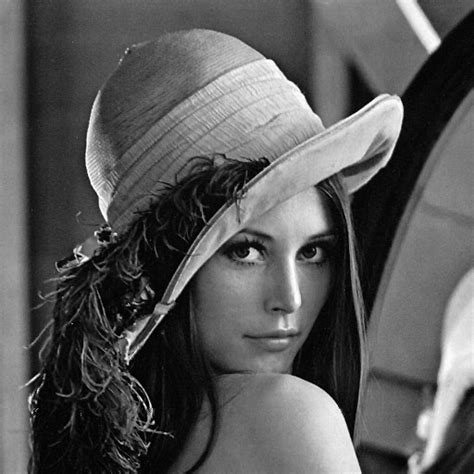
Lena image used for the example.#
 1import numpy
 2from pysdic import compute_optical_flow
 3from pysdic import get_lena_image
 4
 5# Create two example images
 6image1 = get_lena_image() # numpy array of shape (474, 474)
 7
 8# Shift the image to create a second image
 9image2 = numpy.roll(image1, shift=5, axis=1) # Shift right by 5 pixels
10image2 = numpy.roll(image2, shift=3, axis=0) # Shift down by 3 pixels
11
12# Compute optical flow
13flow_x, flow_y = compute_optical_flow(image1, image2)
14
15# Check if all flow values in the center of the image are approximately (5, 3)
16valid_x = numpy.isclose(flow_x[100:300, 100:300], 5, atol=0.5)
17valid_y = numpy.isclose(flow_y[100:300, 100:300], 3, atol=0.5)
18valid = valid_x & valid_y
19assert valid.all(), "Flow values in the center of the image should be approximately (5, 3)"
Use smaller patches with a custom configuration:
from pysdic import DisflowConfig

config = DisflowConfig(patch_size=20, patch_stride=5)
flow_x, flow_y = compute_optical_flow(image1, image2, disflow_config=config)