Note
Go to the end to download the full example code.
Projection of meshes with a camera#
This example builds a pysdic.Camera, projects a mesh and its integration points
with pysdic.Camera.project(), draws them with pysdic.ImagePlotter, and uses
the Jacobians of the projection. Planar problems are shown at the end.
Building a camera#
A camera is the composition of three transformations:
extrinsic: world points to normalized points (pose of the camera). Here the camera is 5 units above the plane \(z = 0\), looking downwards, slightly tilted.
distortion: normalized points to distorted points (Brown model).
intrinsic: distorted points to image points in pixels.
The sensor size and the transformations are fixed at creation; only their parameters can be changed afterwards.
import numpy
from pysdic import BrownDistortion, Camera, PerspectiveExtrinsic, PinholeIntrinsic

sensor_height, sensor_width = 240, 320

camera = Camera(
    sensor_height,
    sensor_width,
    extrinsic=PerspectiveExtrinsic.from_rt(rvec=[numpy.pi + 0.15, 0.1, 0.05], tvec=[0.0, 0.0, 5.0]),
    distortion=BrownDistortion([-0.15, 0.05, 0.0, 0.0, 0.0]),  # k1, k2, p1, p2, k3
    intrinsic=PinholeIntrinsic.from_matrix(
        [[350.0, 0.0, 160.0],
         [0.0, 350.0, 120.0],
         [0.0, 0.0, 1.0]]
    ),
)
print(repr(camera))
print(f"Parameters (extrinsic, distortion, intrinsic): {camera.n_parameters}")
Camera(sensor_height=240, sensor_width=320, extrinsic=PerspectiveExtrinsic, distortion=BrownDistortion, intrinsic=PinholeIntrinsic)
Parameters (extrinsic, distortion, intrinsic): 15
Projection of a mesh#
pysdic.Camera.project() accepts a mesh (its vertices are projected) or an array of
points, and returns a pysdic.ProjectionResult.
from pysdic import create_3d_quadrangle_4_heightmap

mesh = create_3d_quadrangle_4_heightmap(
    lambda x, y: 0.3 * numpy.sin(x) * numpy.cos(y),
    x_bounds=(-2.0, 2.0),
    y_bounds=(-1.5, 1.5),
    n_x=17,
    n_y=13,
)
print(f"Mesh: {mesh.n_vertices} vertices, {mesh.n_elements} elements")

result = camera.project(mesh)
print(f"Image points: shape {result.image_points.shape}")
Mesh: 221 vertices, 192 elements
Image points: shape (221, 2)
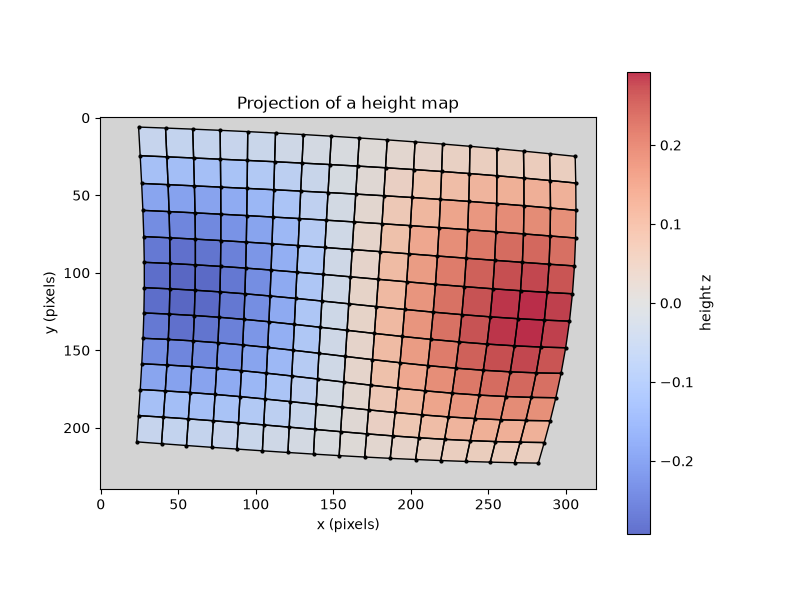
pysdic.ImagePlotter projects the 3D objects itself. Here the faces are colored
by an element property, given by its name.
from pysdic import ImagePlotter

mesh.connectivity["height"] = mesh.compute_elements_centers()[:, 2]

plotter = ImagePlotter(camera)
plotter.add_sensor()
plotter.add_mesh(
    mesh,
    element_property="height",
    property_cmap="coolwarm",
    face_opacity=0.8,
    vertex_size=4,
    show_bar=True,
    bar={"label": "height z"},
)
plotter.set_title("Projection of a height map")
plotter.show()
Effect of the distortion#
The distortion is temporarily cancelled to compare both projections. The image points
are already in pixels, so they are drawn with projected=False.
distorted_points = camera.project(mesh).image_points
saved_parameters = camera.distortion.parameters.copy()

camera.distortion.parameters = numpy.zeros(camera.distortion.n_parameters)
undistorted_points = camera.project(mesh).image_points
camera.distortion.parameters = saved_parameters

plotter = ImagePlotter(camera)
plotter.add_sensor(show_pixel_grid=False)
plotter.add_point_cloud(undistorted_points, projected=False, color="gray", size=8)
plotter.add_point_cloud(distorted_points, projected=False, color="red", size=8)
plotter.set_title("Without (gray) and with (red) distortion")
plotter.show()

print(f"Maximum shift due to the distortion: "
      f"{numpy.linalg.norm(distorted_points - undistorted_points, axis=1).max():.2f} pixels")
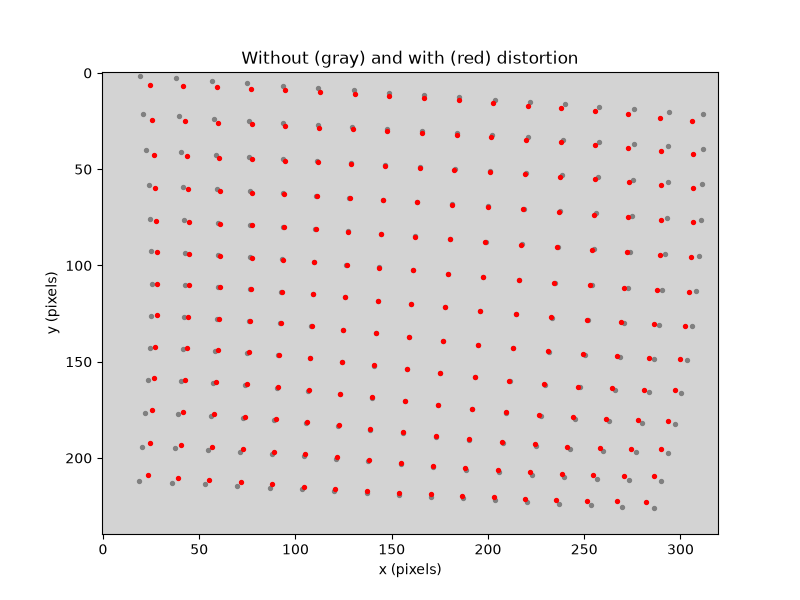
Maximum shift due to the distortion: 6.94 pixels
Integration points#
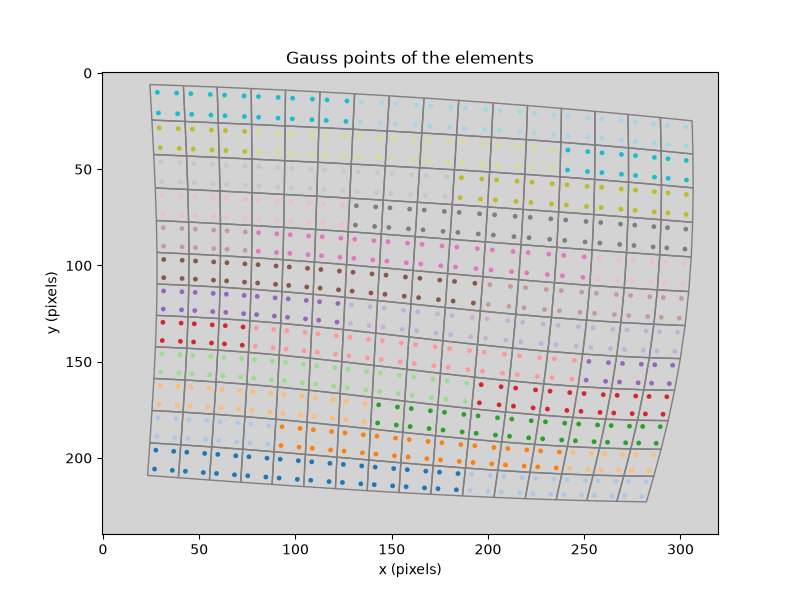
The Gauss points of the elements are projected and colored by their element index.
from pysdic import IntegrationPoints

integration_points = IntegrationPoints.from_gauss_points(mesh.element_type, mesh.n_elements)
integration_points["element"] = integration_points.element_indices.astype(numpy.float64)

plotter = ImagePlotter(camera)
plotter.add_sensor()
plotter.add_mesh(mesh, show_faces=False, show_vertices=False, edge_color="gray")
plotter.add_integration_points(integration_points, mesh, property="element", property_cmap="tab20", size=6)
plotter.set_title("Gauss points of the elements")
plotter.show()
Jacobians of the projection#
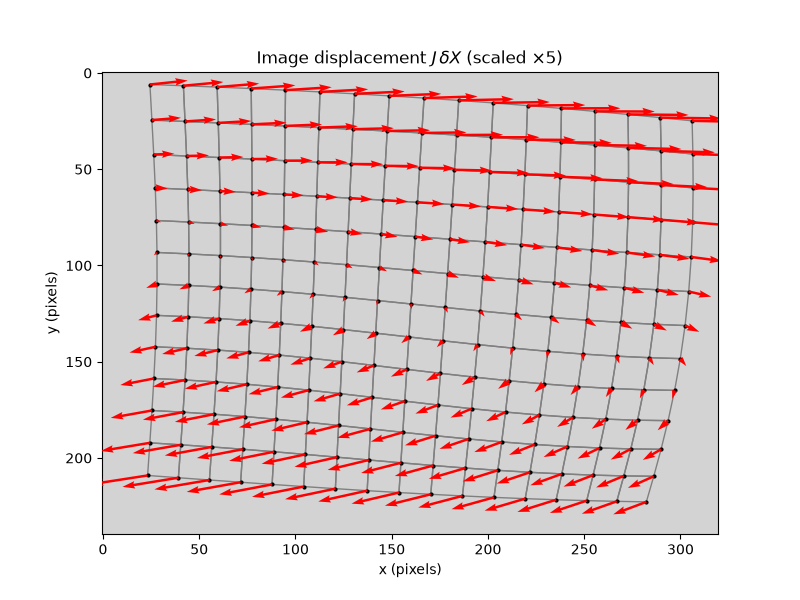
With dx=True, the Jacobian \(J = \frac{\partial \vec{x}_i}{\partial \vec{X}_w}\)
of shape \((N_p, 2, 3)\) is returned, so that
\(\delta \vec{x}_i \approx J \, \delta \vec{X}_w\). Jacobians that are not requested
are filled with NaN.
displacement = numpy.zeros((mesh.n_vertices, 3))
displacement[:, 0] = 0.05 * mesh.coordinates[:, 1]  # Shear along x
displacement[:, 2] = 0.05  # Translation towards the camera

result = camera.project(mesh, dx=True, dextrinsic=True)
print(f"jacobian_dx: {result.jacobian_dx.shape}, jacobian_dextrinsic: {result.jacobian_dextrinsic.shape}")
print(f"jacobian_dintrinsic is NaN: {numpy.isnan(result.jacobian_dintrinsic).all()}")

image_displacement = numpy.einsum("nij,nj->ni", result.jacobian_dx, displacement)  # J @ dX per vertex

exact_displacement = camera.project(mesh.coordinates + displacement).image_points - result.image_points
print(f"Linearization error: {numpy.abs(image_displacement - exact_displacement).max():.3f} pixels")

plotter = ImagePlotter(camera)
plotter.add_sensor()
plotter.add_mesh(mesh, show_faces=False, edge_color="gray", vertex_size=4, vertex_vectors=image_displacement, vector_scale=5.0)
plotter.set_title(r"Image displacement $J \, \delta X$ (scaled $\times 5$)")
plotter.show()
jacobian_dx: (221, 2, 3), jacobian_dextrinsic: (221, 2, 6)
jacobian_dintrinsic is NaN: True
Linearization error: 0.054 pixels
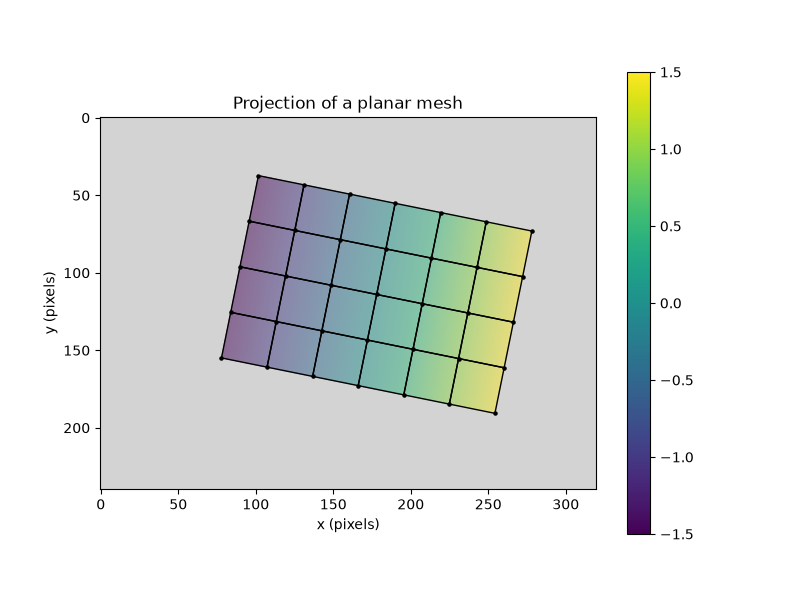
Planar problems#
With pysdic.PlanarRigidExtrinsic, the camera takes 2D world points
(\(E = 2\)). There is no division by a depth, so the focal length is in pixels per
world unit.
from pysdic import PlanarRigidExtrinsic, create_2d_quadrangle_4_rectangle

planar_camera = Camera(
    sensor_height,
    sensor_width,
    extrinsic=PlanarRigidExtrinsic([0.2, 0.3, -0.1]),  # (theta, tx, ty)
    intrinsic=PinholeIntrinsic.from_matrix([[60.0, 0.0, 160.0], [0.0, 60.0, 120.0], [0.0, 0.0, 1.0]]),
)
print(f"Planar camera input dimension: {planar_camera.input_dim}")

planar_mesh = create_2d_quadrangle_4_rectangle(x_bounds=(-1.5, 1.5), y_bounds=(-1.0, 1.0), n_x=7, n_y=5)  # E = 2
Planar camera input dimension: 2
A property can also be given directly as an array.
plotter = ImagePlotter(planar_camera)
plotter.add_sensor()
plotter.add_mesh(planar_mesh, vertex_property=planar_mesh.coordinates[:, 0], show_bar=True)
plotter.set_title("Projection of a planar mesh")
plotter.show()
Total running time of the script: (0 minutes 0.455 seconds)