Note
Go to the end to download the full example code.
Creating 2D surface meshes#
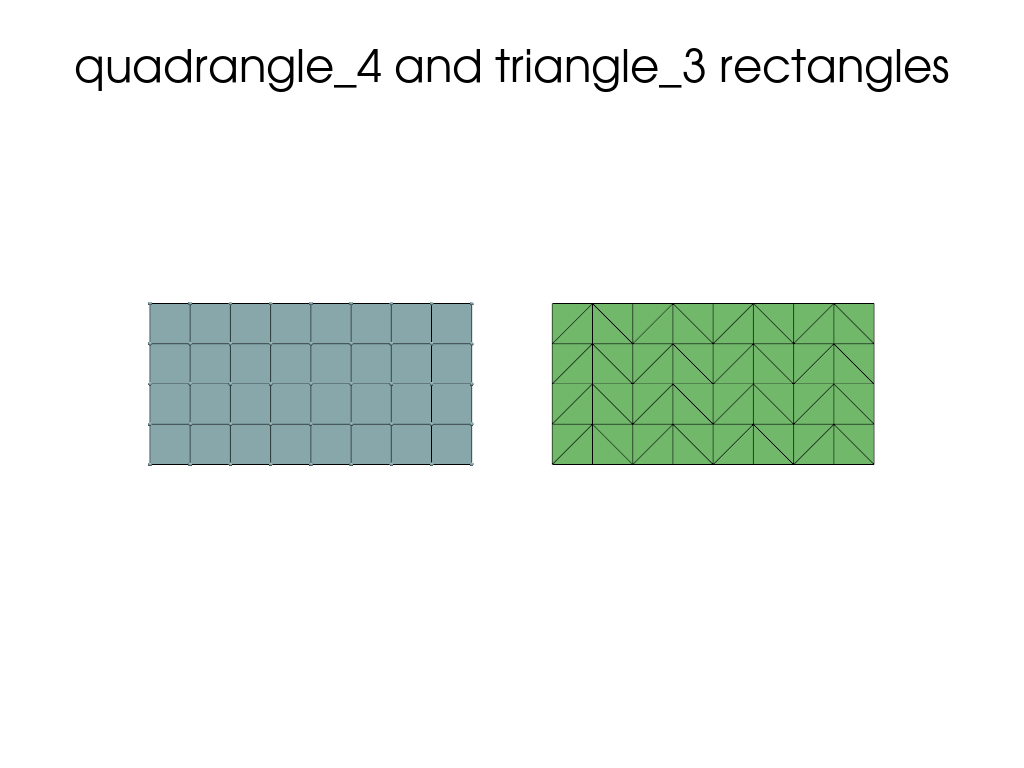
The create_2d_* functions create 2D surface meshes (\(E = 2\)) of rectangles and
polar grids (annuli, disks and sectors), with quadrangle_4 or triangle_3 elements.
The elements are counterclockwise in the plane and the meshes have a UV map.
The 2D meshes are used with the planar cameras (see
pysdic.PlanarRigidExtrinsic). The pysdic.Plotter3D draws them in the
plane \(z = 0\).
See also
Creating 3D surface meshes for the 3D meshes (\(E = 3\)).
Rectangles#
The vertex (i_x, i_y) is mesh.coordinates[i_y * n_x + i_x], as for the 3D height
maps.
import numpy
from pysdic import Plotter3D, create_2d_quadrangle_4_rectangle, create_2d_triangle_3_rectangle


def shift(mesh, dx):
    # Displacement of all the vertices along x (to display several meshes side by side)
    return numpy.tile([dx, 0.0], (mesh.n_vertices, 1))


rectangle = create_2d_quadrangle_4_rectangle(x_bounds=(0.0, 2.0), y_bounds=(0.0, 1.0), n_x=9, n_y=5)
triangles = create_2d_triangle_3_rectangle(x_bounds=(0.0, 2.0), y_bounds=(0.0, 1.0), n_x=9, n_y=5, diagonal="alternate")
print(rectangle)
print(f"Areas of the elements: {rectangle.compute_elements_areas().sum():.2f} (expected 2.00)")

plotter = Plotter3D()
plotter.add_mesh(rectangle, face_color="lightblue", edge_color="black", vertex_size=4)
plotter.add_mesh(triangles, warp_by=shift(triangles, 2.5), face_color="lightgreen", edge_color="black", show_vertices=False)
plotter.set_title("quadrangle_4 and triangle_3 rectangles")
plotter.plotter.view_xy()
plotter.show()
Mesh(n_vertices=45, n_dimensions=2, n_elements=32, n_vertices_per_element=4)
  - Element Type: 'quadrangle_4'
  - Element property: 'uvmap' with shape (32, 8)
Areas of the elements: 2.00 (expected 2.00)
Polar grids#
The vertex at the radius \(r\) and the angle \(\theta\) is
\((r \cos\theta, r \sin\theta)\), and the vertex (i_r, i_t) is
mesh.coordinates[i_t * n_r + i_r]. With close=True, the angles must stop one step
before \(2\pi\).
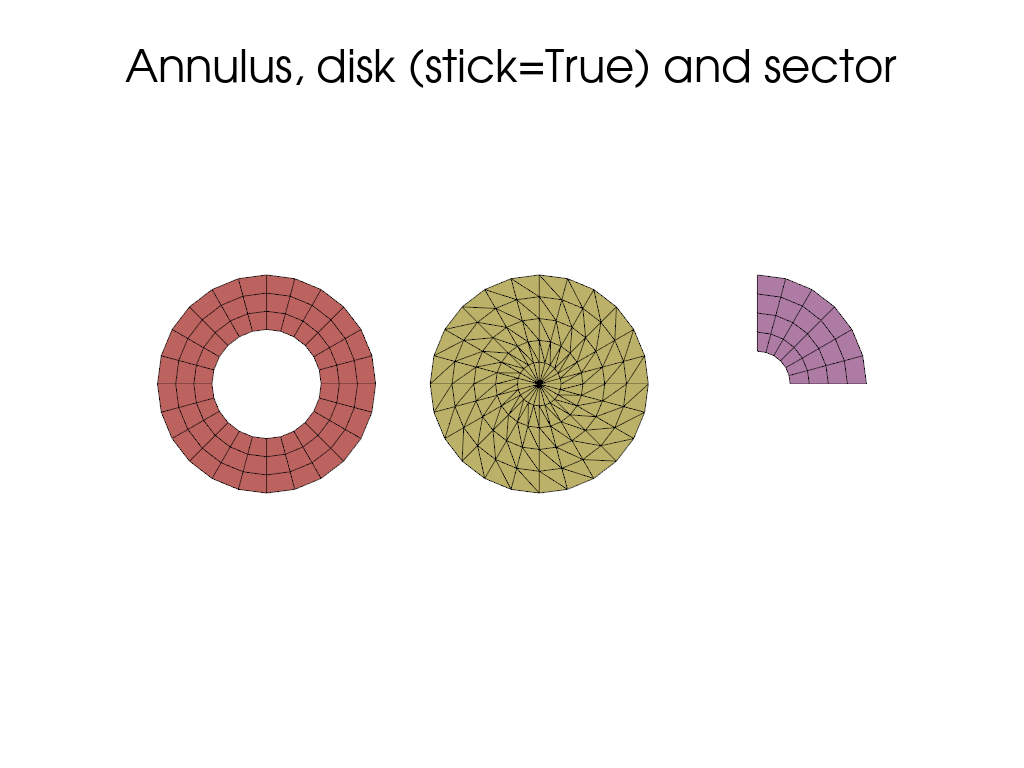
The quadrangle_4 polar grid needs strictly positive radii (an annulus). For a disk,
the triangle_3 polar grid with stick=True merges the vertices at the center.
from pysdic import create_2d_quadrangle_4_polar, create_2d_triangle_3_polar

n_t = 24
closed_angles = (0.0, 2 * numpy.pi * (1 - 1 / n_t))

annulus = create_2d_quadrangle_4_polar(r_bounds=(0.5, 1.0), t_bounds=closed_angles, n_r=4, n_t=n_t, close=True)
disk = create_2d_triangle_3_polar(r_bounds=(0.0, 1.0), t_bounds=closed_angles, n_r=6, n_t=n_t, close=True, stick=True)
sector = create_2d_quadrangle_4_polar(r_bounds=(0.3, 1.0), t_bounds=(0.0, numpy.pi / 2), n_r=5, n_t=7)
print(annulus)
print(disk)
print(f"Area of the disk: {disk.compute_elements_areas().sum():.3f} (pi = {numpy.pi:.3f})")

plotter = Plotter3D()
plotter.add_mesh(annulus, face_color="lightcoral", edge_color="black", show_vertices=False)
plotter.add_mesh(disk, warp_by=shift(disk, 2.5), face_color="khaki", edge_color="black", show_vertices=False)
plotter.add_mesh(sector, warp_by=shift(sector, 4.5), face_color="plum", edge_color="black", show_vertices=False)
plotter.set_title("Annulus, disk (stick=True) and sector")
plotter.plotter.view_xy()
plotter.show()
Mesh(n_vertices=96, n_dimensions=2, n_elements=72, n_vertices_per_element=4)
  - Element Type: 'quadrangle_4'
  - Element property: 'uvmap' with shape (72, 8)
Mesh(n_vertices=121, n_dimensions=2, n_elements=216, n_vertices_per_element=3)
  - Element Type: 'triangle_3'
  - Element property: 'uvmap' with shape (216, 6)
Area of the disk: 3.106 (pi = 3.142)
Total running time of the script: (0 minutes 0.361 seconds)