Note
Go to the end to download the full example code.
Distorting and undistorting images#
pysdic.distort_image() applies the distortion of a camera model (an intrinsic and a
distortion transformation) to an image, and pysdic.undistort_image() removes it.
Note
The cv2 interpolations ("linear", "cubic", …) keep the dtype of the
image (uint8 gives uint8). The "spline3" interpolation and the method
"distort" return float64 images, possibly out of \([0, 255]\): clip them
before a conversion to uint8 (see pysdic.quantize_image()).
Distortion in the normalized space#
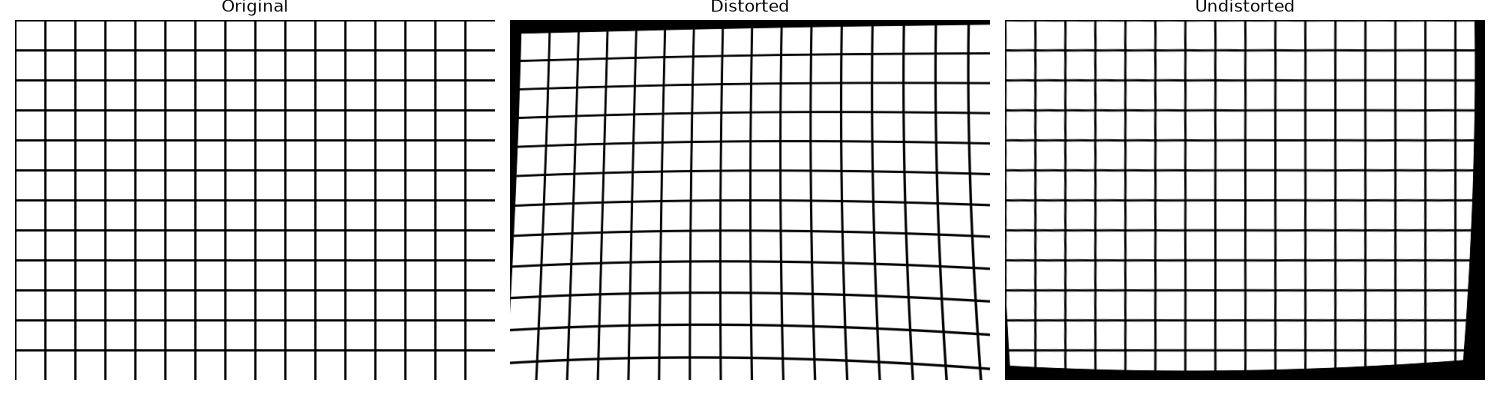
By default, the distortion maps the normalized points to the distorted points, then the intrinsic transformation gives the image points. Here a Brown-Conrady distortion with 8 coefficients is applied to a grid, then removed.
import cv2
import matplotlib.pyplot as plt
import numpy
from pysdic import BrownDistortion, PinholeIntrinsic, ZernikeDistortion, distort_image, get_lena_image, undistort_image

height, width = 480, 640
grid = numpy.full((height, width, 3), 255, dtype=numpy.uint8)
for i in range(0, height, 40):
    cv2.line(grid, (0, i), (width, i), (0, 0, 0), 2)
for j in range(0, width, 40):
    cv2.line(grid, (j, 0), (j, height), (0, 0, 0), 2)

intrinsic = PinholeIntrinsic.from_matrix([[1000.0, 0.0, width / 2], [0.0, 1000.0, height / 2], [0.0, 0.0, 1.0]])
distortion = BrownDistortion([0.2, 0.25, 0.07, 0.04, 0.008, 0.004, 0.001, 0.0005])  # k1, k2, p1, p2, k3, k4, k5, k6

distorted = distort_image(grid, intrinsic, distortion, method="undistort", interpolation="cubic")
undistorted = undistort_image(distorted, intrinsic, distortion, interpolation="cubic")

fig, axes = plt.subplots(1, 3, figsize=(15, 4))
for ax, image, title in zip(axes, (grid, distorted, undistorted), ("Original", "Distorted", "Undistorted")):
    ax.imshow(image)
    ax.set_title(title)
    ax.axis("off")
plt.tight_layout()
plt.show()
Distortion in the image space#
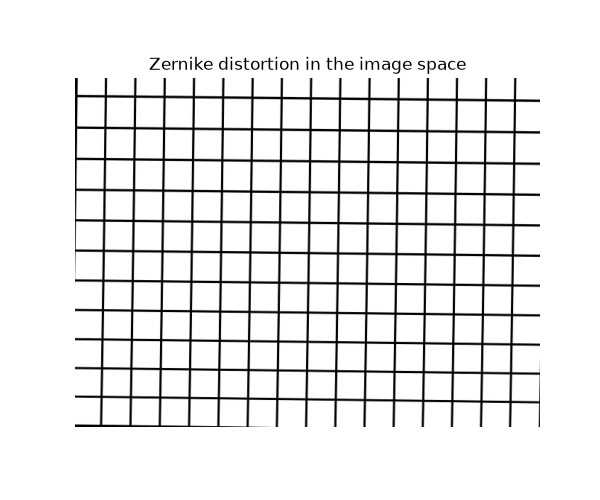
With intrinsic=None, the distortion is applied directly to the image points: here a
Zernike distortion with coefficients in pixels, on the disk circumscribed to the image.
Its inverse is computed with a Newton method, set with inverse_distortion_kwargs.
def image_zernike_distortion(height: int, width: int) -> ZernikeDistortion:
    # Small Zernike distortion in pixels on the disk circumscribed to an image
    center = numpy.array([(width - 1) / 2, (height - 1) / 2])
    coefficients = [
        0.8541972545746392, -5.468596289790535, -5.974287819021697, 14.292956075116104,
        2.1403205479372627, 4.544169430137205, -0.10099732464199339, 0.4363509204067417,
        -0.5106374355681896, -5.770087687650705, -0.39147505788710696, 11.699411273002498,
    ]
    return ZernikeDistortion(coefficients, radius_x=numpy.linalg.norm(center), center=center)


distorted = distort_image(
    grid, None, image_zernike_distortion(height, width), method="undistort", interpolation="cubic",
    inverse_distortion_kwargs={"max_iteration": 20, "tolerance": 1e-6},
)

plt.figure(figsize=(6, 5))
plt.imshow(distorted)
plt.title("Zernike distortion in the image space")
plt.axis("off")
plt.show()
Interpolation error#
Distorting then undistorting an image gives back the original image up to the errors of
the two interpolations. The images are in float64 (no rounding), and the error is
measured 20 pixels away from the borders.
image = get_lena_image().astype(numpy.float64)
zernike = image_zernike_distortion(*image.shape[:2])

distorted = distort_image(
    image, None, zernike, method="undistort", interpolation="cubic",
    inverse_distortion_kwargs={"max_iteration": 20, "tolerance": 1e-10},
)
undistorted = undistort_image(distorted, None, zernike, interpolation="cubic")
error = numpy.abs(undistorted - image)
print(f"RMS error: {numpy.sqrt(numpy.mean(error[20:-20, 20:-20] ** 2)):.4f} gray levels")

fig, axes = plt.subplots(1, 3, figsize=(15, 5))
for ax, data, title, cmap in zip(axes, (image, undistorted, error), ("Original", "Distorted then undistorted", "Absolute error"), ("gray", "gray", "inferno")):
    mappable = ax.imshow(data, cmap=cmap)
    ax.set_title(title)
    ax.axis("off")
fig.colorbar(mappable, ax=axes[2])
plt.show()
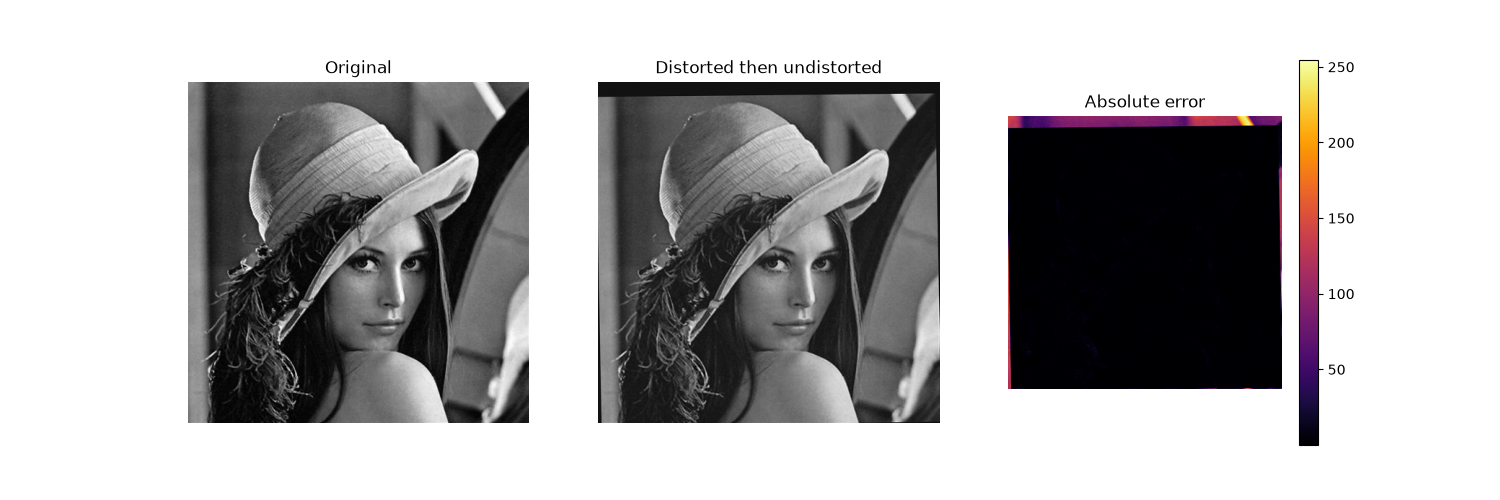
RMS error: 1.6590 gray levels
Total running time of the script: (0 minutes 1.624 seconds)